Spaces and Materials
Spaces are technology too. Everything material affects the learner's dispositions and growth.
Spaces are technology too. To paraphrase Maria Montessori, everything material affects the learner’s dispositions and growth. The layout of a classroom, the design of a digital workspace, the choice of physical versus virtual materials — these are all instructional design decisions, whether or not the designer recognizes them as such.
Arrange physical space to match the intended learning modality
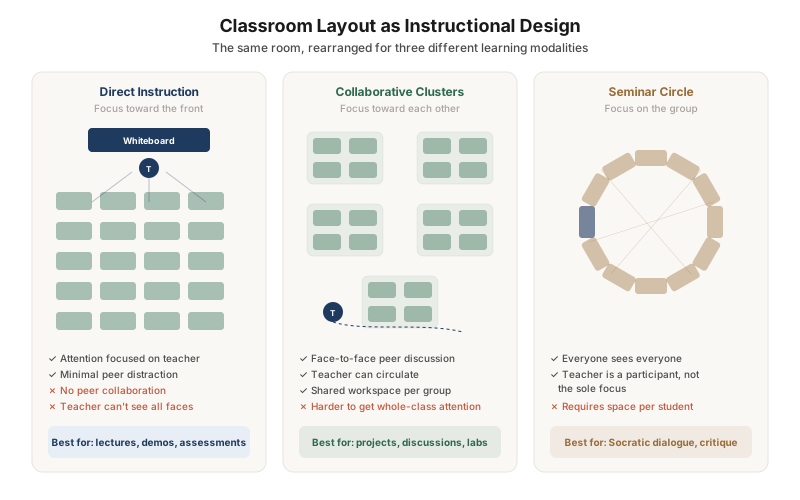
The same classroom, rearranged for three different purposes: rows facing forward for direct instruction, clusters for collaborative projects, and a seminar circle for Socratic dialogue. Each layout has trade-offs — forward-facing rows focus attention but kill collaboration; clusters enable teamwork but make whole-class moments harder. The layout should change with the learning activity, not be fixed for the semester.
Design digital workspaces with progressive disclosure, not everything-at-once
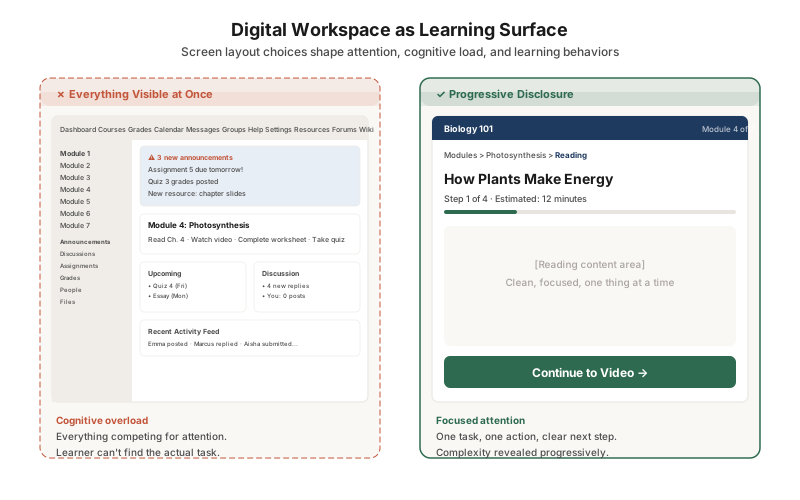
The cluttered LMS dashboard (left) puts announcements, modules, discussions, grades, activity feeds, and upcoming deadlines all on one screen. The learner has to find the actual task among dozens of competing elements. The focused workspace (right) shows one step at a time with a clear next action. Complexity is revealed progressively as the learner needs it — not dumped upfront.
Pair physical materials with digital tools so each does what it does best
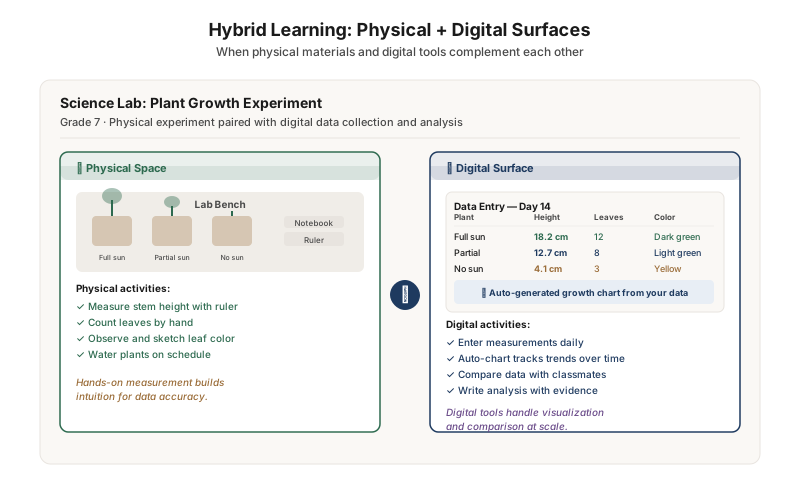
This science lab pairs physical plant experiments with a digital data collection surface. Students measure stems by hand (building measurement intuition), then enter data into a tablet that auto-generates growth charts and enables cross-student comparison. The physical world provides embodied experience; the digital world handles visualization at scale. Neither surface replaces the other — they complement.